Multitech CF220 User's Guide Page 71
- Page / 84
- Table of contents
- TROUBLESHOOTING
- BOOKMARKS

- CallFinder 1
- CF220 1
- Table of Contents 3
- Specifications 5
- Safety Warnings 6
- Technical Specifications 7
- Related Manuals 7
- Chapter 2 – Sample System 8
- Internet 10
- Local Telco 12
- Central Office 12
- Technical Parameters 13
- Dan, x5890 14
- Eve, x5176 14
- DID-Channel Modem 15
- Computer 16
- Chapter 2: Sample System 17
- Operator 18
- Conclusion 21
- Installation 22
- You Supply 23
- 6. Do Power-On Test 24
- Ordinary User Parameters 26
- (for CallFinder Phonebook) 26
- 3. Logging In (I) 27
- 6. Logging In (II) 28
- Screens 34
- Login Screen 35
- Call Log Screen 36
- Current Status Screen 37
- Logout Option 38
- Help Screen 38
- Administration Screen 39
- Phone Book Screen 42
- Channel Configuration Screen 44
- Operation 47
- Call Log Email Messages 48
- Introduction 49
- Then click Next 52
- Chapter 7 - FFCF Manager 55
- FFCF Manager Main Screen 57
- FFCF Manager “Edit” Menu 59
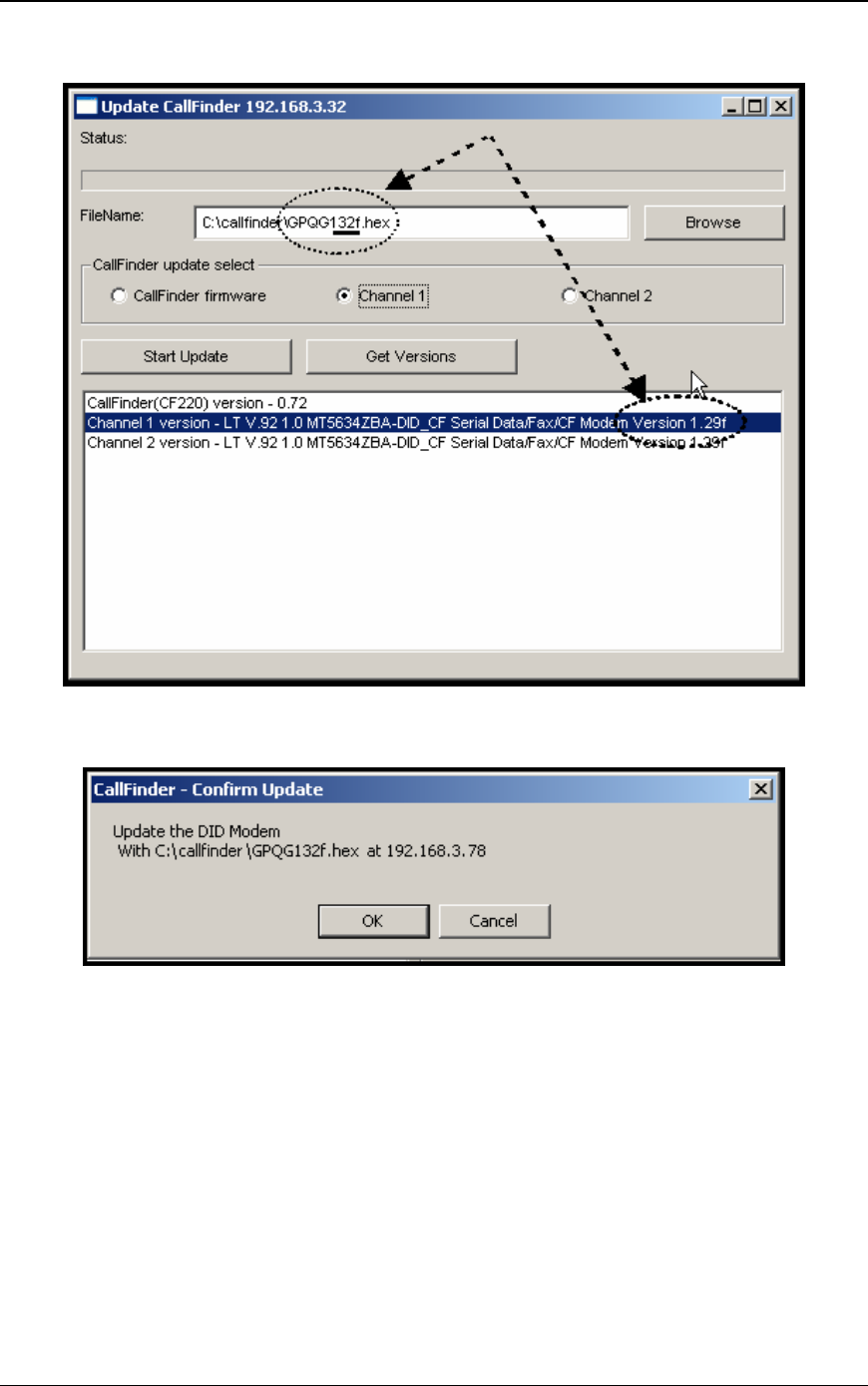
- 4. Click Start Update 71
- FFCF Manager screen 72
- Chapter 8: Troubleshooting 77
- 47 CFR Part 68 Telecom 80
- 47 CFR Part 15 Regulation 81
- Fax Branding Statement 81
- Canadian Limitations Notice 82
- Industry Canada 82
Related products and manuals for IP phones Multitech CF220
 (90 pages)
(29 pages)
(90 pages)
(29 pages)
© 2020, manymanuals.com. All rights reserved. | 0.035 s |
 Manymanuals.com
 Manymanuals.de
 Manymanuals.fr
 Manymanuals.it
 Manymanuals.pl
 Manymanuals.cz
 Manymanuals.es
 Manymanuals-pt.com
Comments to this Manuals